


At some point, almost every UK business owner asks the same question: "is my website actually any good at this SEO thing, or am I just guessing?" It's a fair question. You can't see what Google sees, you don't have access to its internal data, and most of what you read online about SEO contradicts something else you read last week.
The good news is you don't need to hire an agency or spend hundreds of pounds to find out where you stand. A free SEO audit — done properly, using the right free tools — will tell you almost everything an expensive agency report would, just without the fancy branding and the sales pitch at the end.
This guide walks you through exactly how to do that audit yourself, in plain English, using tools that cost nothing. By the end, you'll have a clear list of what's working on your site, what isn't, and what to fix first.
What Is an SEO Audit, and Why Should You Bother?
An SEO audit is simply a health check for your website. It looks at the technical side (can Google actually crawl and load your pages properly?), the on-page side (are your titles, headings, and content set up correctly?), and increasingly now, how well your site is positioned for AI-powered search tools as well as traditional Google results.
That last point matters more than it used to. AI Overviews now appear in the vast majority of informational Google searches, and the businesses being cited inside those AI answers are almost always ones that already rank well in traditional search. So a proper audit in 2026 isn't just about your blue-link rankings anymore — it's about whether your site is built well enough to be trusted by both Google and the AI tools sitting on top of it.
Most businesses should run a full audit once or twice a year, and a quicker check after any major change — a redesign, a new platform, or a big content push. If you've never done one, today is as good a day as any to start.
What You'll Need Before You Start
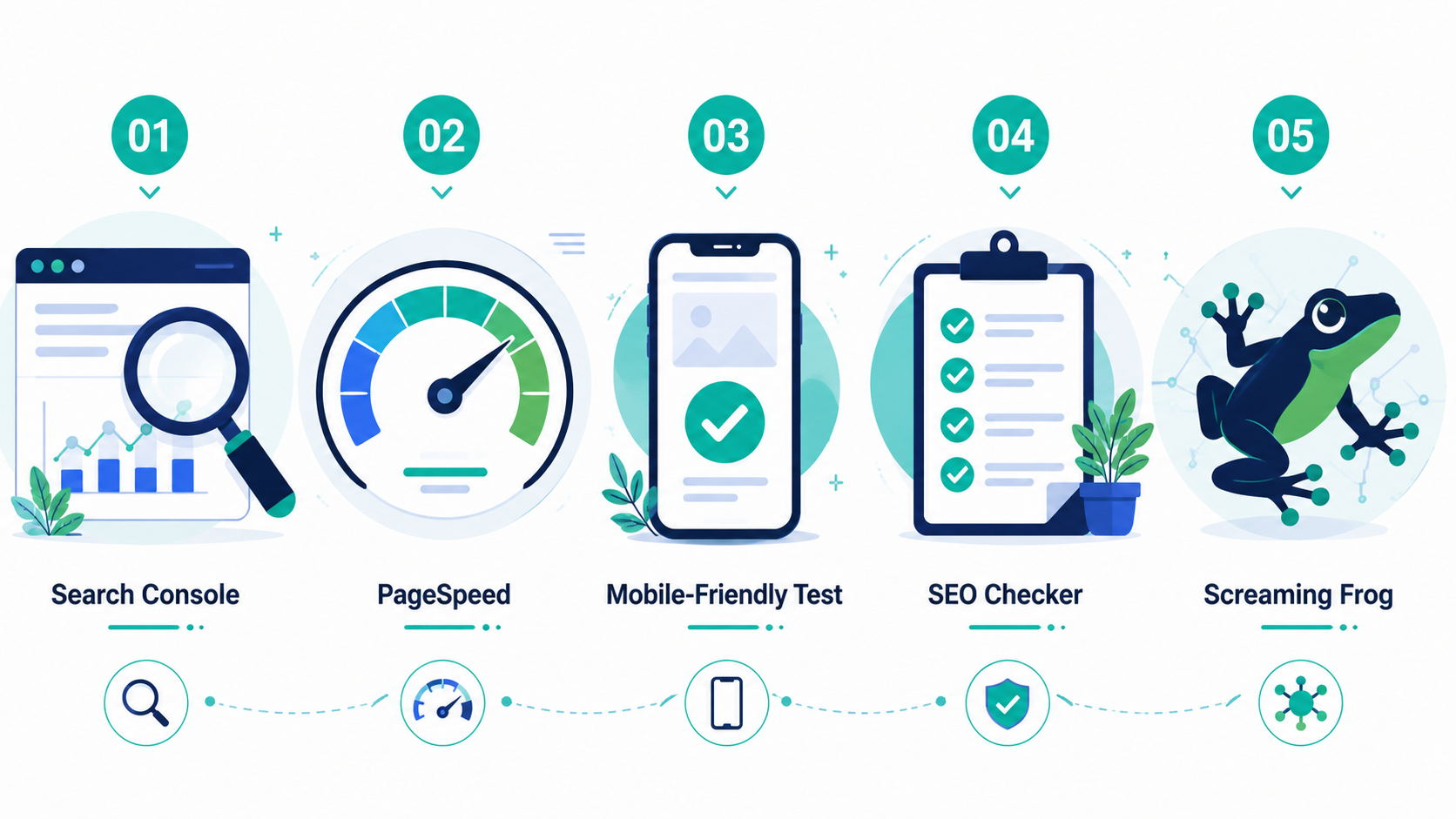
You don't need to download or pay for anything complicated. Here's the free toolkit we'll use throughout this guide:
- Google Search Console — free, and shows you exactly how Google sees your site
- Google PageSpeed Insights — free, checks your page speed and Core Web Vitals
- Google's Mobile-Friendly Test — free, confirms your site works properly on phones
- A free SEO checker (such as the ones from Semrush or AIOSEO) — lets you run a handful of free scans per day without an account
- Screaming Frog (free version) — a downloadable tool that crawls up to 500 pages of your site for free, useful if your site has more than a handful of pages
If you haven't set up Google Search Console yet, do that first — it's the backbone of everything else in this guide, and it takes about ten minutes to verify your site.
Step 1: Check Your Technical Health First
Before worrying about keywords or content, make sure Google can actually find, crawl, and load your pages properly. None of the rest matters if this part is broken.
Check if your pages are indexed
Open Google Search Console, go to the "Pages" report under the Indexing section, and look at how many of your pages are indexed versus excluded. If important pages are missing, click into them to see why — common causes include accidental "noindex" tags, blocked pages in your robots.txt file, or pages that simply haven't been crawled yet.
Run a PageSpeed Insights check
Head to Google's free PageSpeed Insights tool, enter your homepage URL, and run the test for both mobile and desktop. Page speed is a confirmed ranking factor, and it directly affects whether visitors stay or leave. Pay particular attention to your Core Web Vitals scores — these measure loading speed, visual stability, and responsiveness, and Google uses them as a genuine ranking signal.
Test your mobile-friendliness
More than half of UK web traffic happens on a phone, and Google evaluates the mobile version of your site first when deciding how to rank you. Run your homepage and a couple of key pages through Google's mobile-friendly test to catch any layout issues, tiny text, or buttons too close together to tap properly.
Look for broken links and crawl errors
If your site has more than 10–15 pages, download the free version of Screaming Frog and run a crawl. It will flag broken links (404 errors), redirect chains, and duplicate page titles in one report. For smaller sites, the "Pages" report in Search Console will usually surface the same issues without needing extra software.
Step 2: Check Your On-Page SEO Basics
Once you know Google can access your site properly, the next step is checking whether your pages are actually set up to rank for what they're about.
Review your title tags and meta descriptions
Go through your most important pages and check that each one has a unique meta title under 60 characters and a meta description between 150–160 characters. Duplicate or missing titles across multiple pages is one of the most common issues a basic SEO audit checklist turns up — and one of the easiest to fix.
Check your heading structure
Each page should have exactly one H1, followed by a logical sequence of H2s and H3s underneath it. If you're not sure what's currently on your pages, most free SEO checker tools will scan a single URL and flag missing or duplicate headings instantly.
Look at your content quality
For your most important pages, ask honestly: does this content actually answer what someone searching for it wants to know? Thin or outdated content is one of the most common reasons a page that should be ranking simply isn't. Use Search Console's Performance report to find pages getting impressions but very few clicks — that's usually a sign the title and content need a refresh.
Check your internal linking
Make sure your important pages are linked to from elsewhere on your site, using descriptive anchor text rather than "click here." Pages with no internal links pointing to them are much harder for Google to find and rank, even if the content itself is good.

Step 3: UK-Specific Checks Most Audits Miss
Generic SEO audit guides are mostly written for a US audience. Here's what's worth checking specifically if you're a UK business.
Cookie consent banners
The ICO issued compliance warnings to over 130 UK websites in 2025 for poorly implemented cookie banners. Beyond the legal risk, a heavy or badly built cookie consent script can slow down your page load and cause layout shifts that hurt your Core Web Vitals score. Check that your "Accept" and "Reject" buttons are equally prominent, and that the banner loads quickly without dragging down your overall page speed.
Local search signals
If you serve a specific UK town, city, or region, check that your address, phone number, and opening hours match exactly across your website, your Google Business Profile, and any directories you're listed on. Mismatched details (sometimes called NAP inconsistency) quietly undermine your local search visibility.
British English spelling and content relevance
Run a quick check across your key pages for American spellings — "optimize" instead of "optimise," "color" instead of "colour." These small details affect how relevant your content looks to both UK searchers and Google's UK-specific indexing signals.
AI search visibility
This is new territory for most UK SEO audits, but worth checking. Search a few of your target keywords in ChatGPT or Perplexity and see whether your business gets mentioned. Most AI Overview citations come from sites already ranking well in the traditional top 10 results — so this isn't a separate strategy, it's a reflection of how strong your core SEO already is.
Step 4: Check Your Current Keyword Visibility
Once the technical and on-page basics are sorted, take a look at how your site is actually performing in search right now.
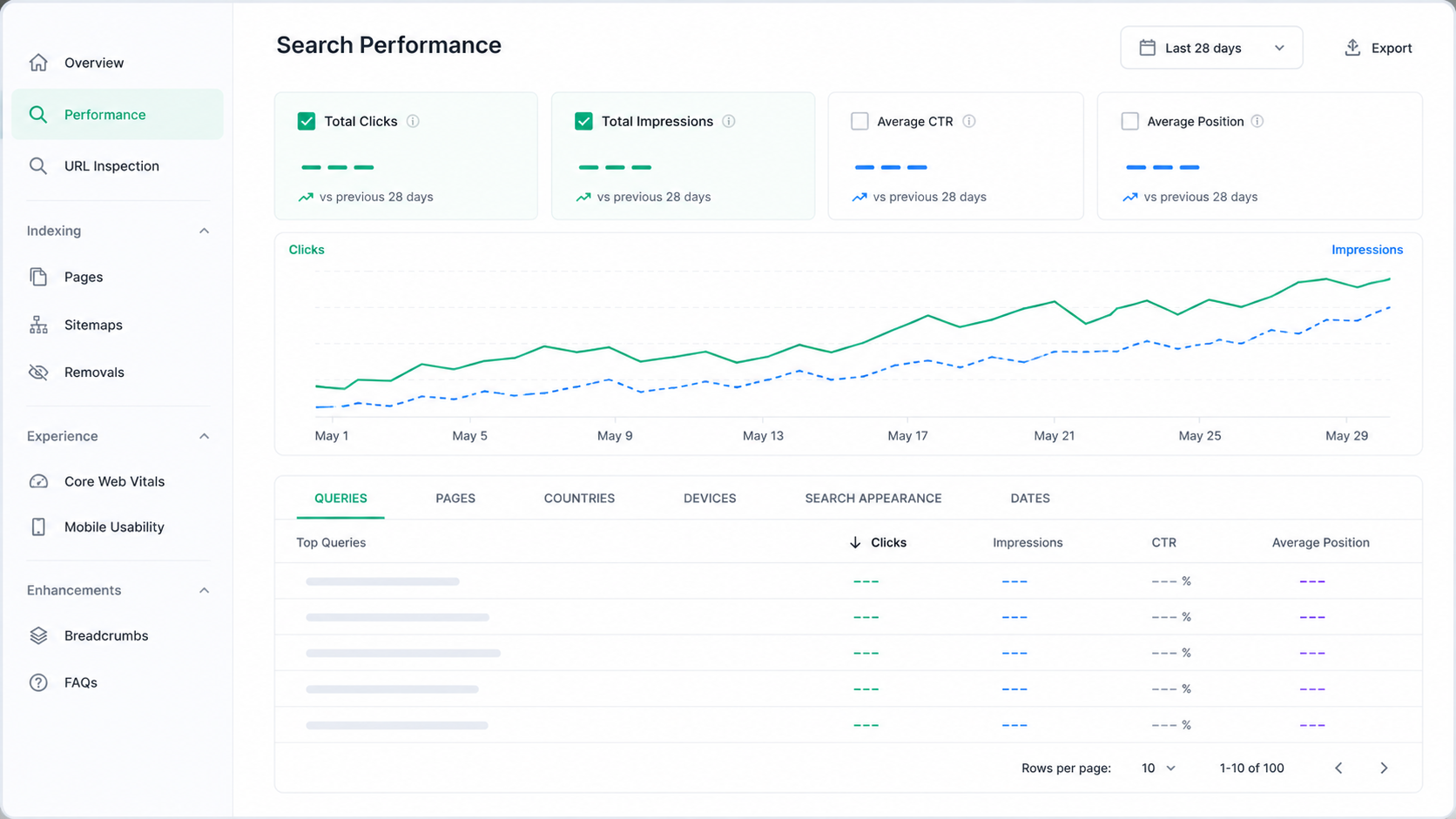
Use Search Console's Performance report
Go to Performance → Search Results in Search Console. Look at your top queries, your click-through rate for each, and where you're ranking on average. This tells you, in Google's own words, exactly what you're currently being found for — which is often quite different from what you assumed.
Run a free SEO checker on your top pages
Tools like Semrush's free SEO Checker or AIOSEO's analyser let you scan a handful of pages per day at no cost. They'll give you an overall score and a prioritised list of fixes — useful as a sanity check against what you've already found manually.
Glance at your backlink profile
Most paid tools (Ahrefs, SEMrush) show a limited number of backlinks for free without an account. It won't be the full picture, but it's enough to spot anything obviously missing or any spammy links worth disavowing.
Step 5: Turn Your Findings Into a Priority List
By this point you'll likely have a long list of things to fix. Don't try to do everything at once — prioritise based on impact and effort.
Fix these first (high impact, low effort)
- Missing or duplicate meta titles and descriptions
- Broken links (404 errors)
- Pages accidentally excluded from Google's index
- Missing or incorrect H1 tags
Schedule these next (high impact, more effort)
- Page speed and Core Web Vitals improvements
- Rewriting thin or outdated content on important pages
- Building out internal linking between related pages
Plan for later (lower urgency)
- Expanding your backlink profile
- Structured data / schema markup additions
- AI search visibility improvements
Re-run your checks after each round of fixes. Watching your Search Console numbers improve over the following weeks is genuinely satisfying — and it confirms the changes are actually working, rather than just hoping they are.
When Should You Bring In Professional Help?
A DIY audit using the free tools above will catch the vast majority of issues affecting most small UK websites. But there are a few situations where bringing in an expert makes sense:
- Your site has hundreds or thousands of pages, and a manual review simply isn't practical
- You've fixed the obvious issues but traffic still isn't improving after a few months
- You're planning a website migration or redesign and want to avoid losing existing rankings
- You want a second opinion on priorities, or simply don't have the time to do it yourself
UK SEO audit costs vary widely — from around £500 for a focused technical review up to several thousand pounds for a full enterprise-level audit. If you do bring someone in, you'll now know enough to ask the right questions and sense-check their findings against what you've already discovered yourself.
Frequently Asked Questions About Free SEO Audits
Can I really do an SEO audit for free?
Yes. Google Search Console, PageSpeed Insights, and the Mobile-Friendly Test are all completely free and cover most of what a basic audit needs. Free versions of tools like Screaming Frog and Semrush's SEO Checker fill in the remaining gaps, particularly for backlinks and site-wide crawling on larger websites.
How often should I audit my website's SEO?
Most small businesses should run a full audit once or twice a year, with a quicker check after any major change such as a redesign, platform migration, or large content update. Checking your Search Console performance data monthly is also good practice to catch issues early.
What is the most common SEO issue found in audits?
Missing or duplicate meta titles and descriptions are consistently among the most common issues found, alongside slow page speed, broken links, and thin or outdated content on important pages. These are also usually the quickest and cheapest issues to fix.
Do free SEO audit tools give accurate results?
Yes, for the core technical and on-page checks. Google's own free tools are the most accurate source available, since they show exactly what Google itself sees. Free third-party tools are generally reliable for surface-level checks but offer less depth than their paid versions, particularly for backlink data.
Should UK websites worry about AI search visibility in an SEO audit?
It's worth checking, but it isn't a separate strategy. The large majority of AI Overview citations come from websites that already rank in the traditional top 10 search results. Strengthening your core technical and on-page SEO remains the most effective way to improve visibility in both traditional and AI-powered search.
Your Website's Health Check Starts Today
An SEO audit sounds like something only agencies do with expensive software and a fancy dashboard. In reality, the tools that matter most — Search Console, PageSpeed Insights, the Mobile-Friendly Test — are entirely free, and they're the same data Google itself uses.
Set aside an hour this week. Work through the steps above in order — technical health first, then on-page basics, then the UK-specific checks, then your current visibility. You'll come away with a genuinely clear list of what to fix, in the right order, without spending a penny on tools or agency fees.
Do that, fix the highest-impact issues first, and check back in a month. That's a proper SEO audit — and now you know exactly how to run one yourself.
Recent Comments